

Running a Prediction#
The prediction is performed in the same project where the training data are located, and the AI model was created.
- Follow the steps described in:
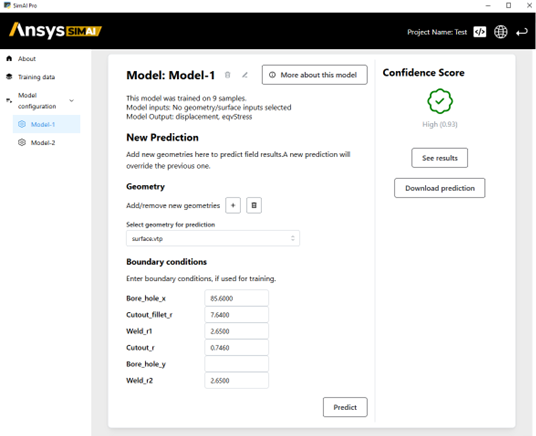
Select your model under Model configuration on the left side of the main view of your project. A new tree item is automatically created once your AI model is ready to be used.
Click the plus button next to Add/remove new geometries to import a new geometry file for which you want to run a prediction. For more information about the accepted files, see Geometries.
In the Boundary condition section, enter the values for the boundary conditions for which a prediction should be generated.
Click Predict at the bottom.
The Global coefficients are automatically generated when the prediction is run.
Generate and download the postprocessings you are interested in for your study.
The postprocessings available to you are based on your model configuration. For more information, see Postprocessings .